
Social Media Studio
Studio takes your source material and writes a draft for each platform you choose.
The steps
Section titled “The steps”- Source. Choose where the content comes from: a website or blog, an RSS feed, Medium, Ghost, WordPress, Drupal, a single URL, an uploaded PDF or Word document, or pasted text. For a website you can page back through older posts and search for a specific one.
- Configure. Choose platforms, tone and whether to add an AI image or use the article’s own image. A note shows how many AI generations a run uses and how many you have left.
- Review. See a preview that looks like each platform. Edit text, change the image, or give a post a thumbs up or down to teach VedXAI your taste. For people who can approve their own posts, a settings bar lets you choose Post now or Schedule and press Approve all & publish.
- Publish. Basic plan and workspaces that need a second approver use a Publish step instead. Instagram and Facebook are confirmed one at a time.
Step 1: Add your content
Section titled “Step 1: Add your content”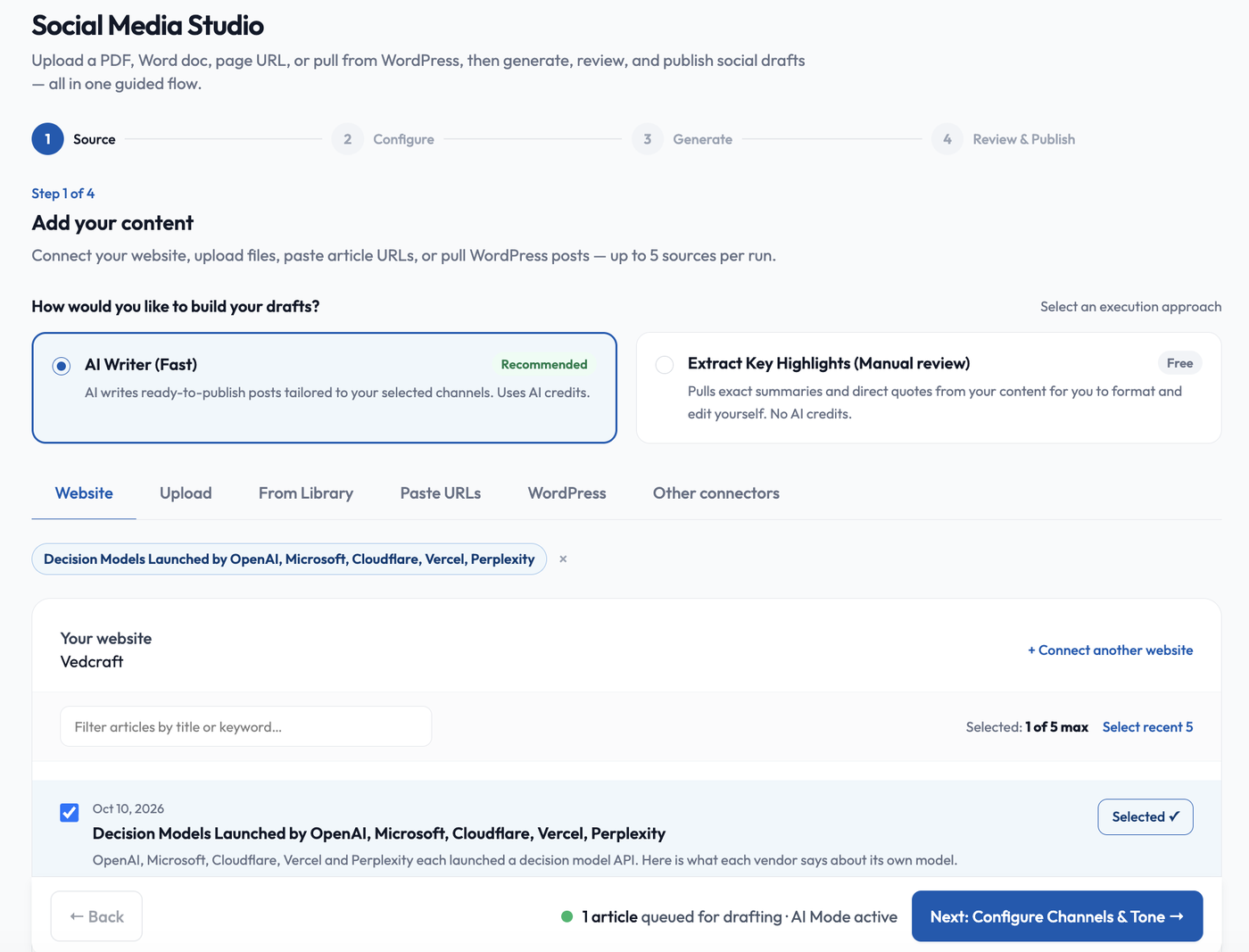
At the top, choose how to build your drafts. AI Writer (Fast) writes ready-to-publish posts for your channels and uses AI credits. Extract Key Highlights (Manual review) is free: it pulls exact summaries and direct quotes for you to format and edit yourself.
Then pick a source tab: Website, Upload, From Library, Paste URLs, WordPress or Other connectors. You can add up to 5 sources per run. Selected sources appear as chips above the list, and the bar at the bottom shows how many are queued.
Step 2: Configure the run
Section titled “Step 2: Configure the run”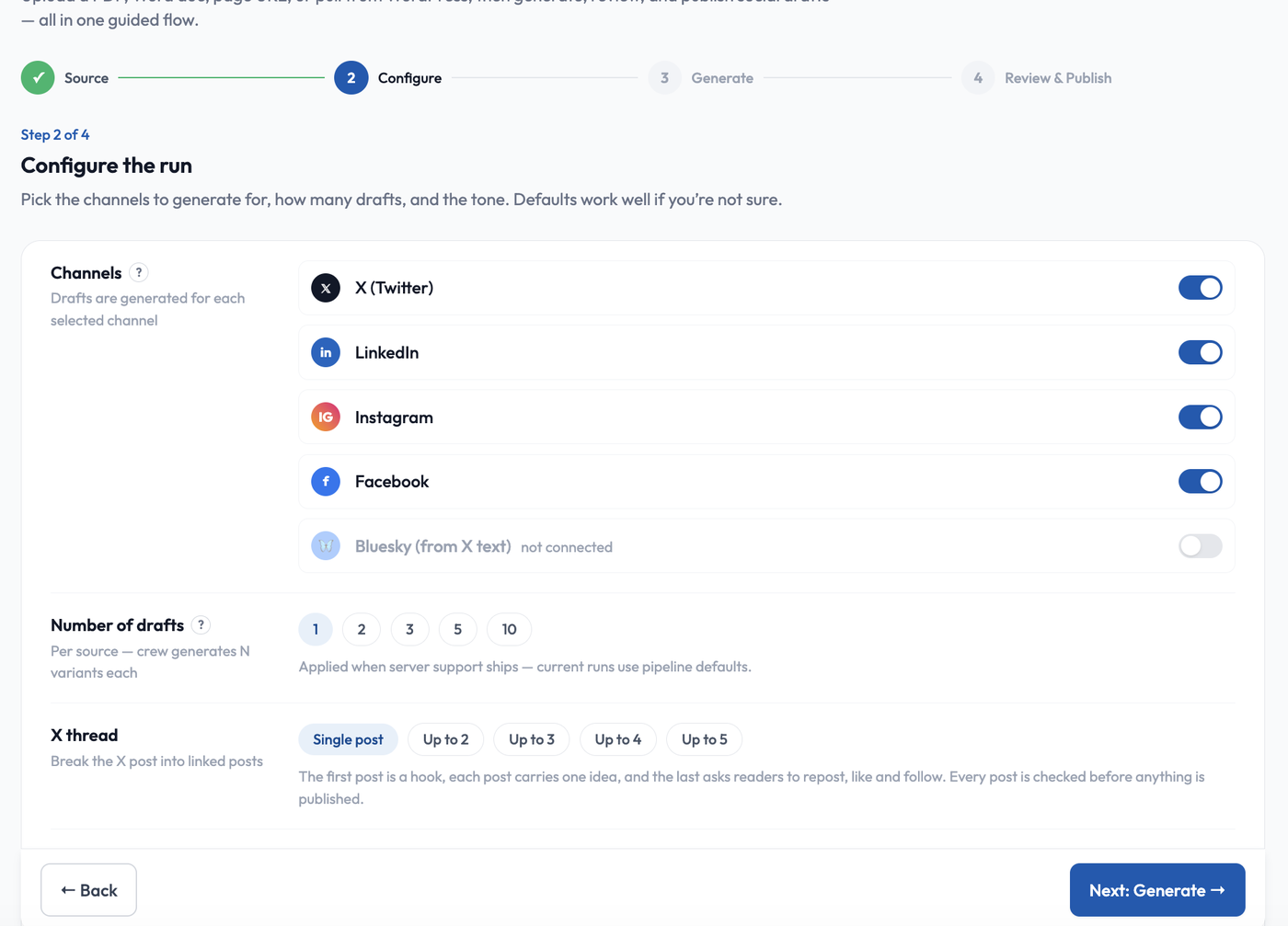
- Channels. Switch on each platform to draft for: X, LinkedIn, Instagram and Facebook. Bluesky is drafted from the X text and stays off until you connect it (see Connect your social accounts).
- Number of drafts. The control offers 1, 2, 3, 5 or 10 variants per source, but it is not applied yet. Current runs use the standard number of drafts.
- X thread. Keep a Single post, or break the X post into a linked thread of up to 2, 3, 4 or 5 posts. The first post is a hook, each post carries one idea, and the last asks readers to repost, like and follow.
Every post is checked before anything is published.
Step 3: Generating drafts
Section titled “Step 3: Generating drafts”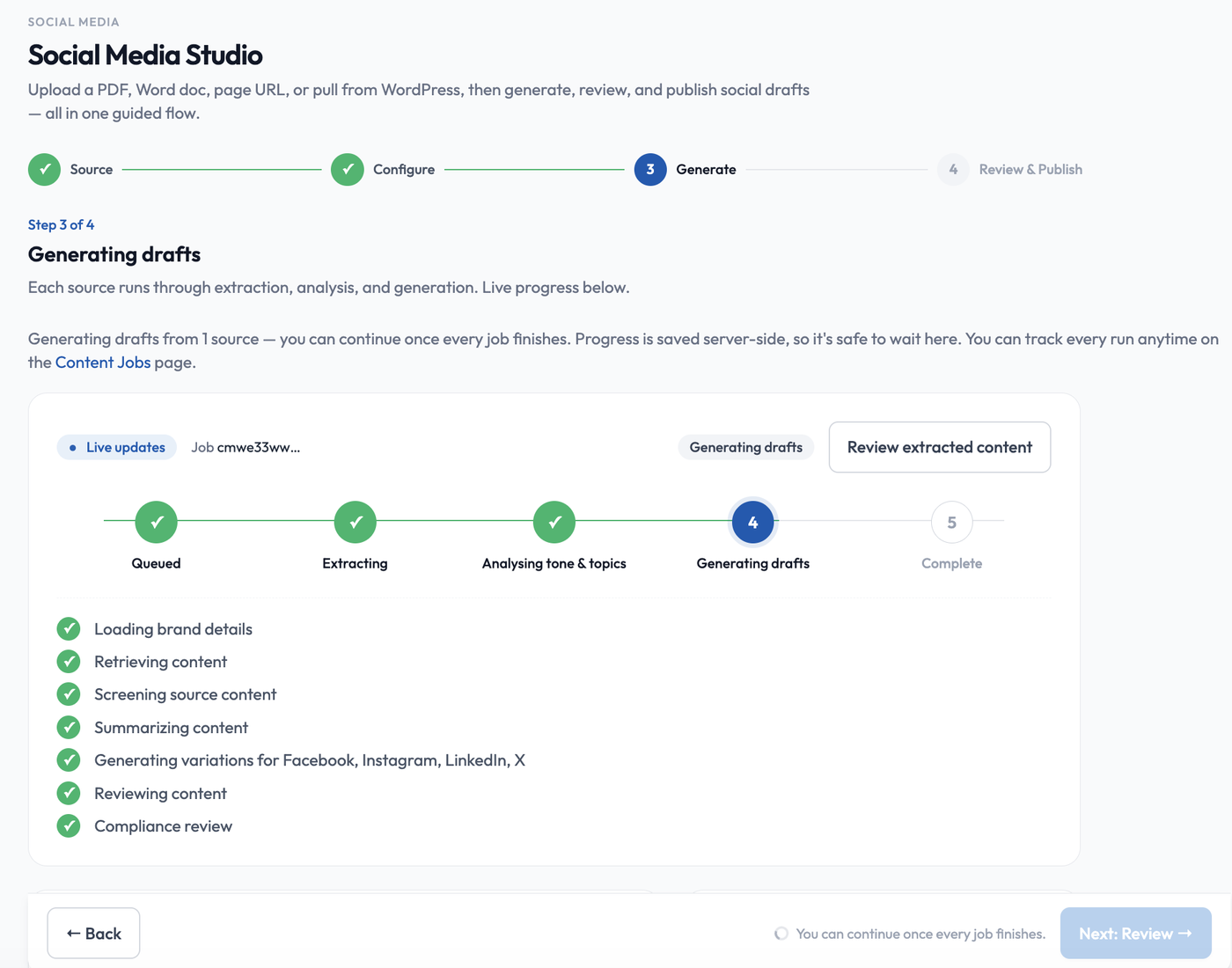
Each source runs through extraction, analysis and generation, with live progress. The bar shows five stages: Queued, Extracting, Analysing tone & topics, Generating drafts and Complete. Below it, a checklist ticks off the work: loading your brand details, retrieving and screening the source, summarizing, generating a variation for each channel, reviewing the content and the compliance review.
Progress is saved on the server, so it is safe to wait here or leave and come back. Track every run any time on Activity. Review extracted content lets you see what VedXAI read from the source. Next: Review unlocks when every job has finished.
Step 4: Review your drafts
Section titled “Step 4: Review your drafts”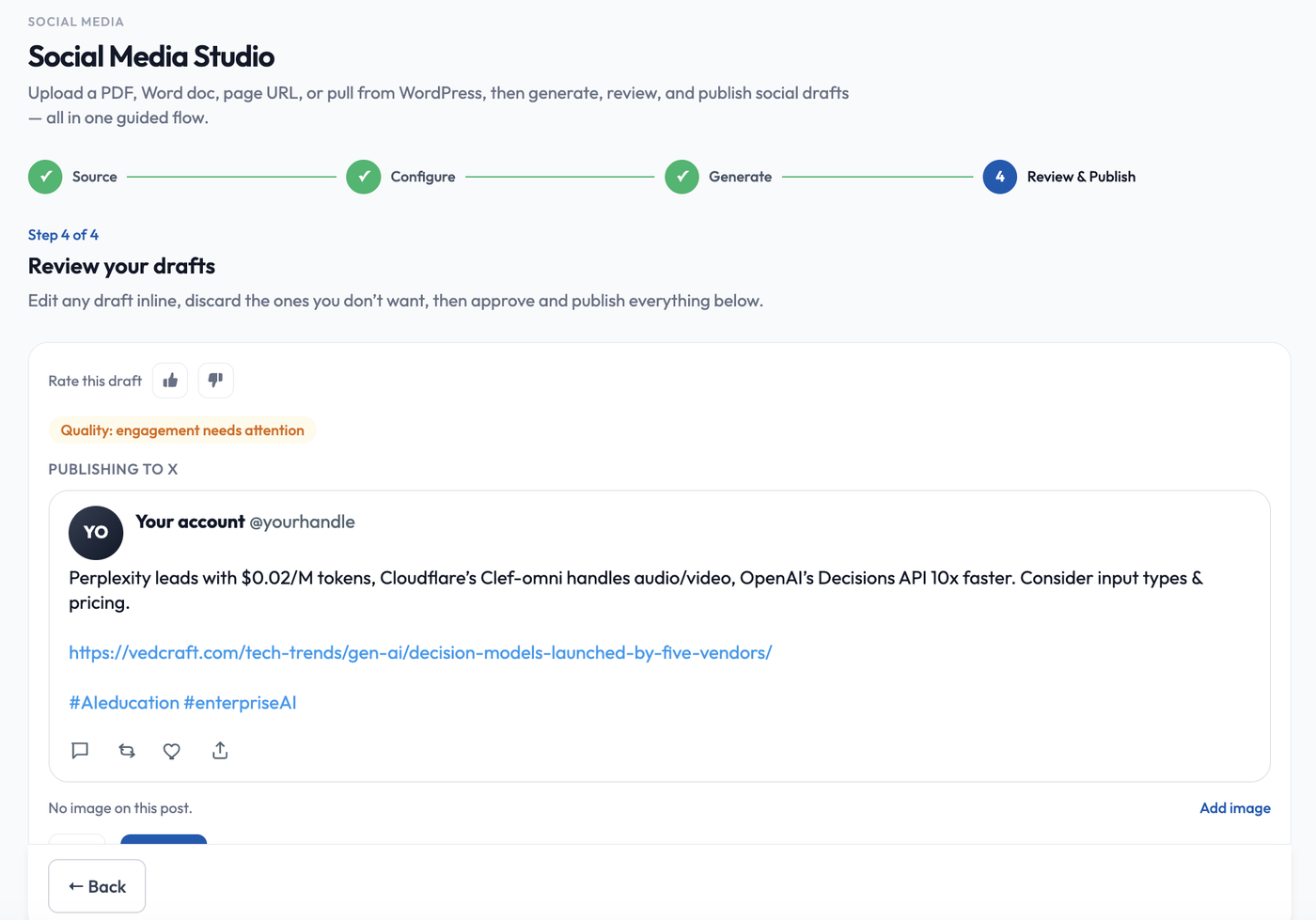
Each draft is shown as it will look on its platform. You can:
- Edit any draft inline, or discard the ones you do not want.
- Rate a draft with the thumbs up or down so VedXAI learns your taste.
- Read the quality note, such as “Quality: engagement needs attention”, which points out what could be stronger.
- Add or change the image (Add image).
Then approve and publish everything from the bar at the bottom.
- Sources are limited per run by plan.
- Some pages cannot be read, for example pages behind a login. Paste the text instead.
- If you generate from the same link twice you are offered Reuse it or Generate fresh.
- Content that contains instructions aimed at the AI (such as “ignore previous instructions”) is refused.
- Generated posts show the evidence behind claims when that feature is on for your account.
Connectors
Section titled “Connectors”Connect WordPress, Ghost, Drupal, Medium or RSS under Connectors to browse and pick posts directly.