
New post (Compose)
New post opens the editor straight away.
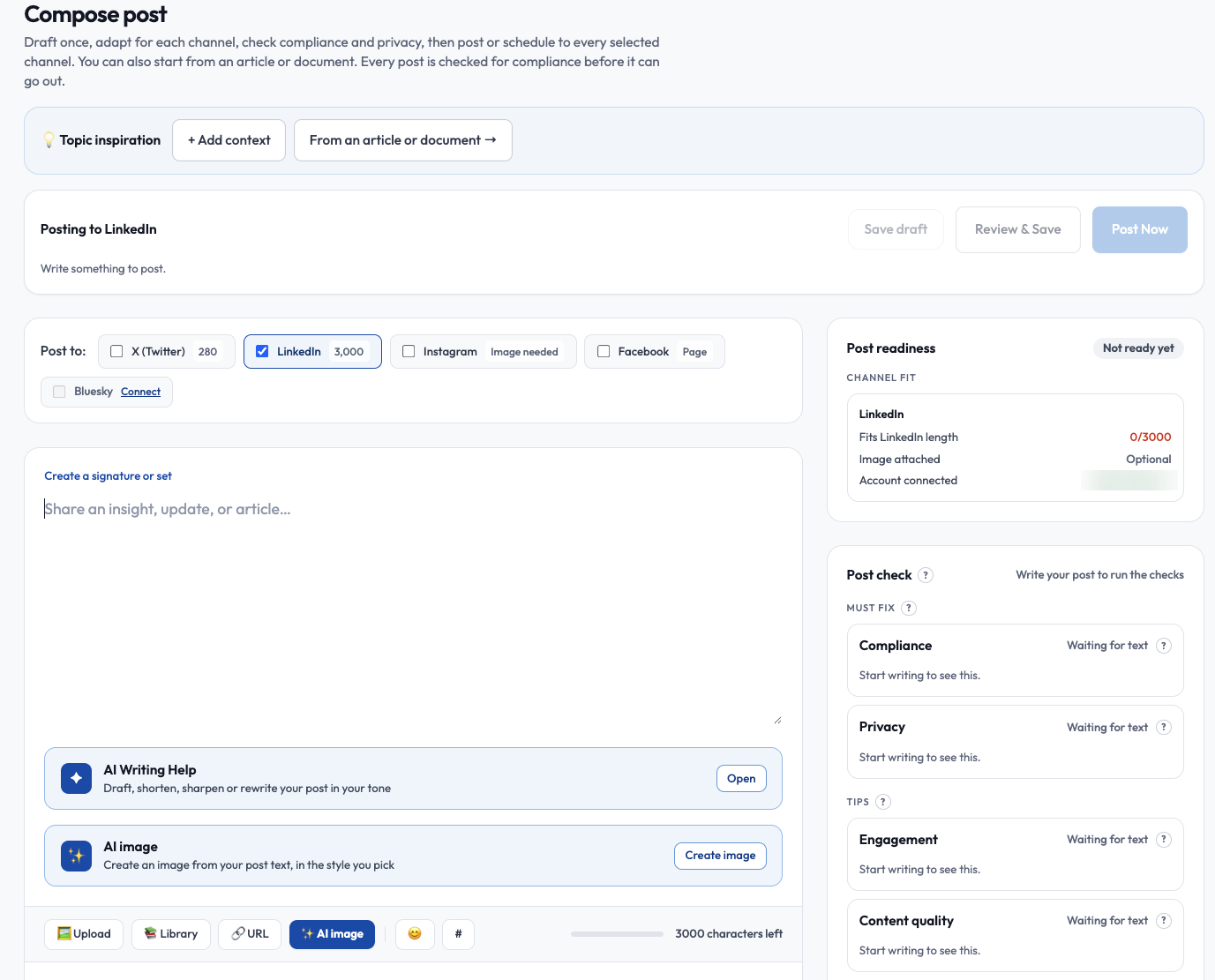
Across the top, Topic inspiration, + Add context and From an article or document help you start. Below is the action bar (Save draft, Review & Save, Post Now), the Post to channel picker, the editor, and on the right the Post readiness and Post check panels. Channels that are not connected, such as Bluesky, show a Connect link.
- Pick one or more channels. Same for all keeps one text; Customized gives each channel its own text.
- A length meter shows the limit for each channel. Shorten to fit trims for you, and quick rewrites adjust tone.
- Post readiness shows what is left to fix per channel, and tabs preview how it will look.
- Your work is autosaved and restored if you leave.
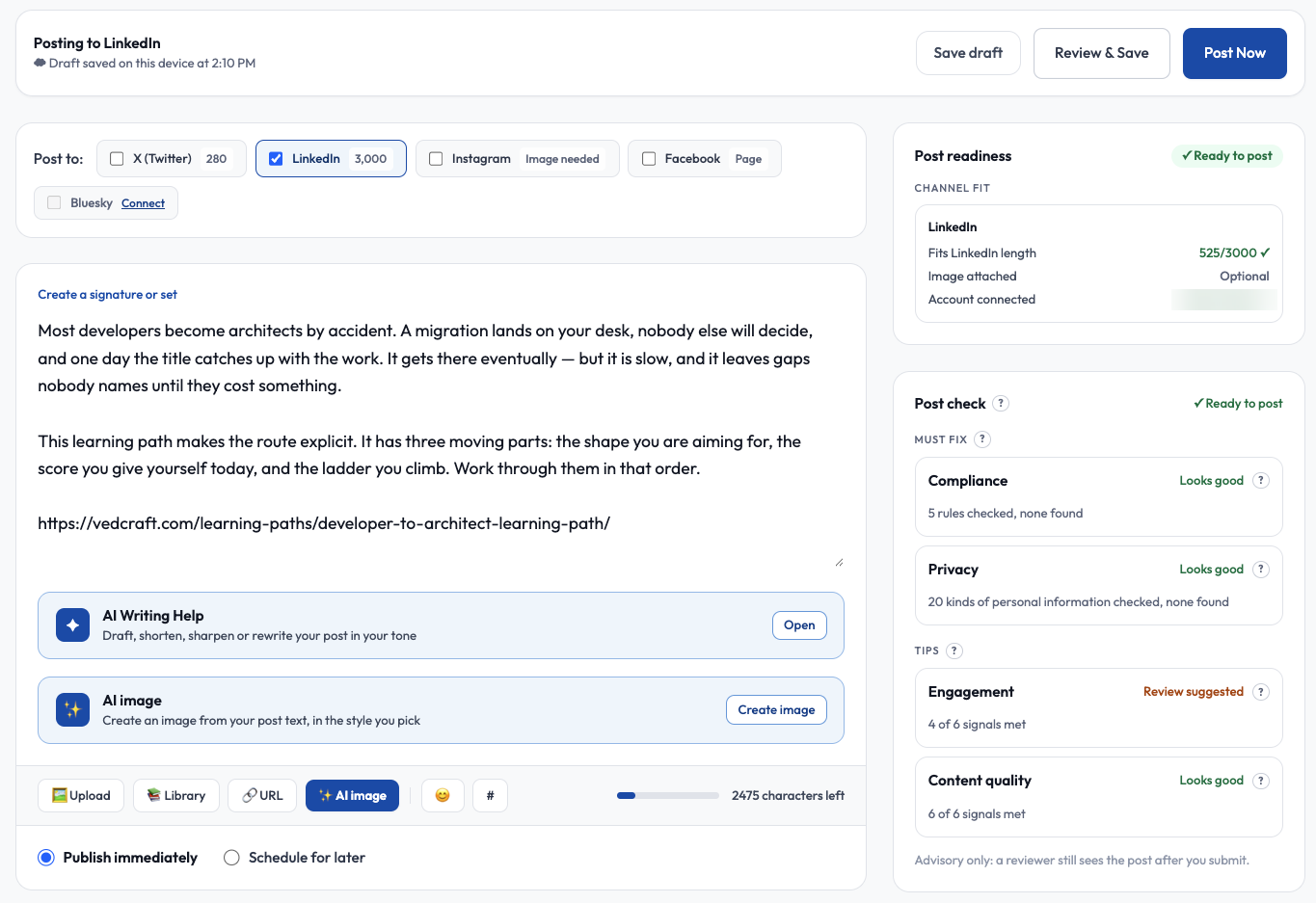
Once you have written something, Post readiness turns to Ready to post and shows, for each channel, whether the text fits the limit, whether an image is attached (and whether one is required) and which account will publish. Under the editor choose Publish immediately or Schedule for later.
Get help from AI
Section titled “Get help from AI”- Generate suggestions writes options from a topic or from trending topics. Picking a trending topic with Use this fills the editor without an AI call.
- A note before each button tells you how many AI generations it uses.
- AI image creates an image for the post. See AI images.
Signatures and sets
Section titled “Signatures and sets”Under Settings > Presets you can save reusable signatures and sets (channels, signature, hashtags). Apply one in New post. Auto-add signatures are added when you save and can be skipped per post.
Check and publish
Section titled “Check and publish”A Post check card reviews the text before you publish. Must fix items block posting: Compliance (the rules were checked, with the number found) and Privacy (20 kinds of personal information are checked). Tips are advice only: Engagement and Content quality show how many signals are met, and a reviewer still sees the post after you submit. Then choose:
- Review & Save keeps it as a draft.
- Post now or Schedule post publishes after the check passes.
- Send for approval appears only when your workspace has teammates who can approve.
For X you can convert a long post to a thread. For Bluesky use Trim for Bluesky.
Editing a draft later
Section titled “Editing a draft later”Open Posts and choose Edit on a draft to return to the editor.